IPTV Near Me: What It Means and How to Choose Safely
You typed IPTV near me into a search engine. You probably want a real person, a fair price and help when things go wrong. Those are fair things to want. So here is the honest answer first. There is no IPTV shop on your high street. IPTV is sold online and set up at home, in every UK town. The real question is not which seller sits closest to you. The real question is which seller you can trust. This page shows what local sellers really are. It covers the risks that come with them, and how to check any seller before you pay. You can start with a 24 hour free trial. No card is needed to start the trial.

Why Do People Search for IPTV Near Me?
The reasons behind this search make good sense. Most people who type it want one of five things.
A real person to deal with. A website can feel faceless. A person in your town feels easier to question, and easier to find again if the service stops.
Protection against scams. Many buyers have read stories about services that took money and vanished. A local seller feels like a safer bet than a stranger online.
Help with the setup. Not everyone wants to face settings menus alone. A local seller sounds like someone who will come round and sort the TV for you.
A simple way to pay. Cash feels easy. There is no card form, no account, and no details typed into a website.
Channels for their area. Some people think a local service carries their local channels. That idea sounds logical, but IPTV does not work that way, as the next sections explain.
Every one of these wishes is fair. The problem is that the local route rarely gives you any of them. A town name in a search result is not proof of a real local business.
How IPTV Is Actually Sold and Set Up
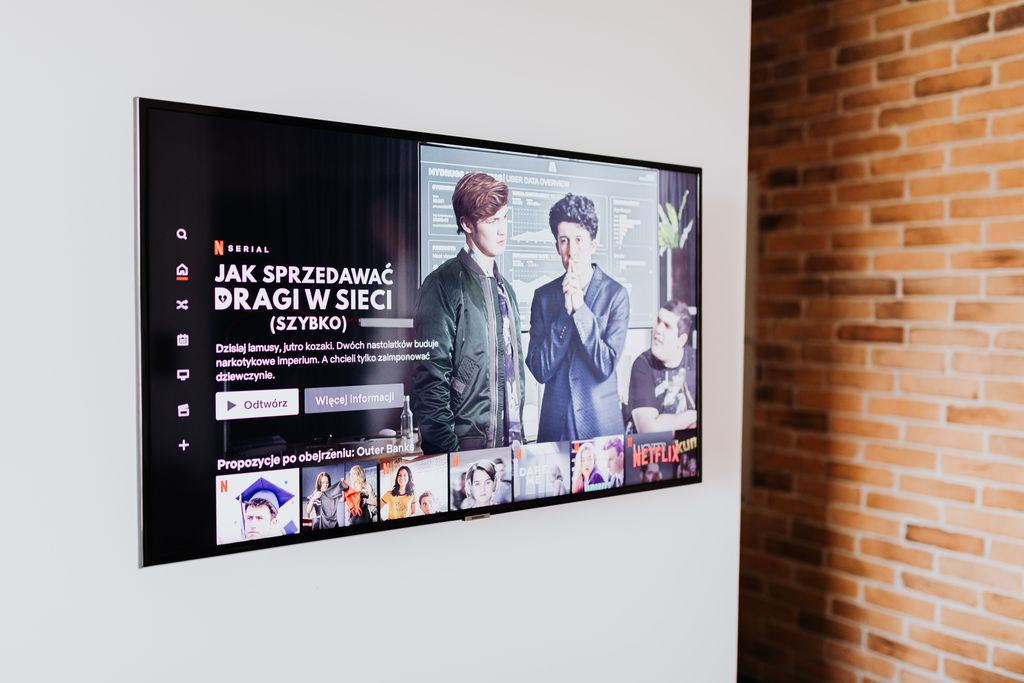
IPTV has no shop, no stock room and no van. A service runs on servers, far from your street. You buy a subscription, and the service sends you sign in details. You type those details into a player app on a device you already own. The app opens the channels, the films and the programme guide.
Nothing travels to your house. Nothing needs fitting. The only local part of the whole thing is your own broadband line and your own television. That is why the same service works in a flat in London and a cottage in the Highlands. Your town changes nothing about what you can watch or how well it runs.
That is why searches like IPTV London and IPTV Manchester lead to the same kind of websites. Searches for IPTV services near me UK do the same. A search for an IPTV subscription near me ends in the same place. The sellers behind them serve the whole country from one place. Some city pages online are just templates with the town name swapped in. The page says Birmingham or Leeds, but no office stands in either city. The same template shows up for Liverpool, Glasgow and Cardiff.
Setup help works the same way. A good service writes step by step guides for each device. You follow pictures and plain words at home. Our IPTV UK guide on the Home page explains the full picture. Support then runs through chat, where your questions and the answers stay written down.
Local Seller or Online Service: The Real Difference
Most local IPTV sellers are one person reselling someone else’s service. They buy access cheaply, add their margin, and pass a login on to you. This table compares that route with buying from an online service directly.
| Point | A local or marketplace seller | An online service |
|---|---|---|
| What you get | A login or a pre loaded stick, resold from another service | A login for the service itself, on a plan you chose |
| Proof of purchase | Often none. A chat thread is all you hold | An order record and a payment trail |
| How you pay | Cash, or a transfer to a personal account | A traceable payment, with the total shown first |
| Help when it breaks | One person’s phone, answered when they feel like it | A named support route, such as WhatsApp |
| If it stops working | The login can die without warning. Your money goes with it | The service can fix, move or renew your plan |
| Setup help | A few voice notes, if you are lucky | Written guides for each device, step by step |
| Who stands behind it | Often no business name at all | A named service with contact details on its site |
Neither column is magic. An online service can still be poor, and a local seller can still be honest. The difference sits in what you can check before you pay, and what you hold after you pay. The next two sections give you those checks.
Red Flags of Risky Local Sellers
Some warning signs show up again and again with local and marketplace sellers. One sign alone might mean little. Two or three together should stop you paying.
- Cash only, with no receipt. Cash leaves no trail. If the login dies next week, you cannot prove you ever paid.
- A personal profile and nothing else. Many sellers trade through a social media account with no name, no website and no contact details. Accounts like that can close overnight.
- Premium channels at a silly price. A year of every channel for the price of a takeaway should raise questions. Legal rights cost money, and honest services price with that in mind.
- A pre loaded stick at a big markup. Some sellers load a cheap stick with an app and charge heavily for it. You pay for the stick, but the login behind it can still be switched off by the real service.
- No plan details in writing. Terms that live only in a voice note can change whenever the seller likes.
- Pressure to pay today. A seller who rushes you is stopping you checking. A real offer survives a night of thinking.
- A new number every few months. Sellers who keep changing phones and accounts are hard to find for a reason. Your support route dies each time they move.
How to Check Any Seller Before You Pay
Use this checklist with every seller, local or online, including us. A careful seller passes each point without fuss.
- Full prices on a page, in writing. You should see each plan length and its total price before any chat starts. Our plans run from £12.99 for 1 month to £59.99 for 12 months. The IPTV subscription UK page shows them all.
- A free trial before a long plan. A trial lets you test the channels, the guide and the picture on your own TV. Any seller who refuses a short test is asking you to buy blind.
- A contact route that outlives the sale. Ask how you reach them in month three, not just today. The answer should be a channel you can still open later, with your chat history intact.
- A business name and contact details. A real service says who it is and how to reach it. A seller who hides both is telling you something.
- Setup guides you can read now. Guides on the seller’s site prove the help exists before you need it. Vague promises of help later prove nothing.
- Plain answers on the legal side. Ask what rights sit behind the channels. A careful seller answers in plain words. A risky one changes the subject.
- A traceable way to pay. Pay in a way that leaves a record. Your proof protects you if anything goes wrong later.
- Start with the shortest plan. A 1 month plan limits your risk while you judge the service. Move to a longer plan only when the service earns it.
How to Find IPTV Services Near You
The honest way to read this search is simple. Near you means a service that reaches your home, and every online service does. These steps help you find one worth paying.
- Search for the service, not the town. Town pages are often templates. Read the seller’s own subscription page instead, and judge what stands there.
- Skip the directory listings. Directory sites list anyone who signs up. A listing is not a check, a review or a promise.
- Ask three questions before you pay. What does the plan include? What happens if the service stops? How do I reach you in three months? Write the answers down.
- Look for what a real service shows up front. Full prices, clear plan lengths, contact details and setup guides should all sit in the open. Hiding any of them is a choice.
- Send a test question. Ask something small before you subscribe. The speed and tone of the reply tell you how support will feel later.
- Let the trial do the local test. Your broadband, your TV and your rooms are the only local facts that matter. A 24 hour free trial tests all three in your own home.
Our subscription page puts its prices, plan lengths and trial in the open. Run every check above on us first.
What Happens After You Order Online
Ordering online feels less personal than meeting a seller. In practice it gives you more proof and more help. Here is how it runs with a service like ours.
Step 1: Pick your plan.
Start with the 24 hour free trial, or choose a plan length on the subscription page. The total price sits in front of you before you pay anything.
Step 2: Get your sign in details.
The service sends your login for the player app. Keep it somewhere safe, like any other account detail.
Step 3: Install the app on your device.
Follow the guide for your screen. There is a guide for how to install IPTV on Firestick. There are also guides for IPTV on Smart TV and how to set up IPTV on Android TV. The best IPTV app for Firestick page helps you pick the player itself.
Step 4: Sign in and press play.
Open the programme guide, pick a channel and check the picture. If a step fails, the IPTV troubleshooting page covers the common fixes, and support can see your earlier chat.

Most people finish in one short session at home. Nobody visits, nobody waits in, and the whole order leaves a written record.
A Short Word on the Legal Side
IPTV itself is legal. The technology is just a way of sending television over the internet. The legal question sits with the service behind the login. A lawful service holds the rights to show its channels and films.
The UK Intellectual Property Office publishes guidance on this subject. It explains the risks of illicit streaming devices and services. Read it before you buy from any seller: IPO guidance on illicit streaming devices (gov.uk).
Cash only sellers sit at the risky end of this picture. A service that hides its name, its prices and its payment trail is often hiding its legal position too. And remember the TV Licence rule. You need a TV Licence to watch live TV in the UK on any service, including IPTV. You also need one for BBC iPlayer.
Frequently Asked Questions
Is there an IPTV shop near me?
Almost certainly not. IPTV has no high street shops in the UK. The services you find online serve the whole country from one place. Town names in search results usually mark a web page, not a building you can visit.
Can someone come to my house to set it up?
With an online service, no visit is needed or offered. Setup means installing one app and signing in. Written guides break the job into small steps. Most people finish in one short session, and support can help by chat if a step sticks.
Is a local seller safer than an online service?
Not by itself. A local seller is often one person reselling another service, with no receipt and no business behind them. Safety comes from proof, not distance. Prices in writing, a trial and a traceable payment protect you far more than a short drive.
Why do local sellers ask for cash?
Cash leaves no record. That suits a seller who wants no trail back to them. It leaves you with no proof of purchase. If the login stops working, you hold nothing. A traceable payment protects you, so treat cash only as a warning sign.
What if my local seller disappears?
This happens often in this market. Accounts close, numbers change, and the login dies with them. Your money is usually gone. This risk is the main reason to buy from a named service. Start with a short plan, and keep your payment proof.
Do I need a local service for my area’s channels?
No. Channels come from the service’s line up, not from your postcode. A service sends the same line up to every home it serves. Regional news and local programmes vary between services, though. Ask for the channel list and check your regional programmes before you pay.
How much does IPTV cost?
Our plans start at £12.99 for 1 month. Three months cost £29.99 and six months cost £44.99. The 12 month plan costs £59.99 in total, which works out at about £5 a month. Every plan starts with a 24 hour free trial. The full details sit on the subscription page.
Is there a free trial?
Yes. Every plan starts with a 24 hour free trial, and no card is needed. Use it to test the channels, the guide and the picture on your own TV and broadband. If the service does not suit your home, you simply do not continue.
Is IPTV legal in the UK?
Yes, the technology is legal. The service you buy must hold the rights to its channels and films. The UK Intellectual Property Office publishes guidance on illicit streaming devices. Read that guidance, and avoid sellers who dodge legal questions or take cash only.
Ready to Try It the Safe Way?
You came here looking for IPTV near me. The honest answer is that the service comes to you, over your own broadband line. What matters is who stands behind it. Pick a service that shows its prices, offers a trial and answers your questions in writing. Start with the 24 hour free trial and test it in your own living room. If you would rather talk first, message us. You can also use the contact page if you prefer email.